
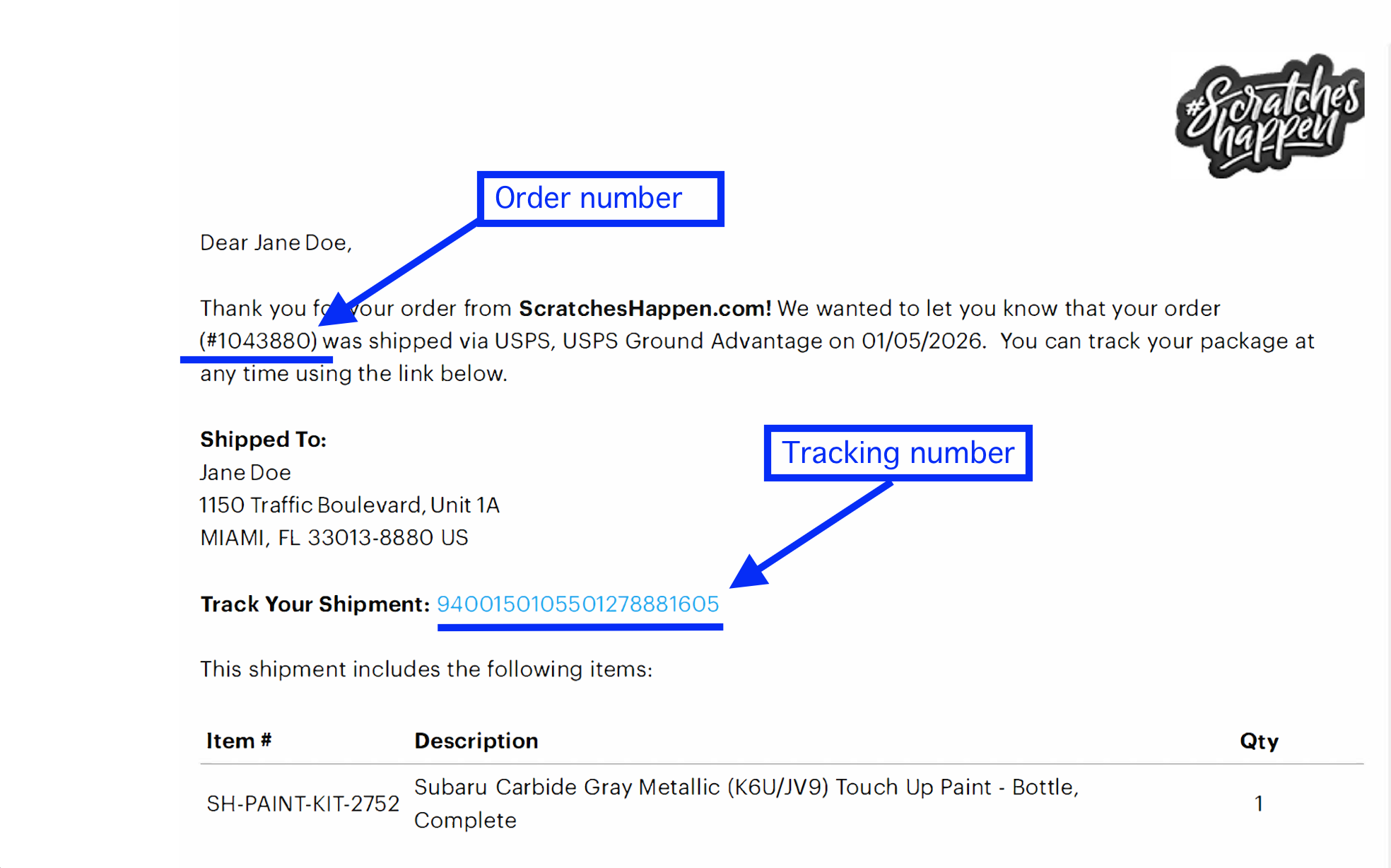
When the shipping label is created, the tracking link is sent to the email address used at checkout. Click the link to view tracking updates directly on the carrier’s website.
If you didn’t get the email, please check your spam or junk folder.
FAQ
Why isn’t my tracking number working yet?
Tracking information becomes available after the carrier scans your package. When a shipping label is first created, the tracking number may not show updates right away. This is normal and usually resolves once the package is picked up and scanned by the carrier.
The tracking number is missing from my shipping confirmation email. Help
In rare cases, a tracking number may not appear in the shipping confirmation email. When this happens, the order has shipped, but the tracking information was not included in the notification.
If your shipping confirmation email does not include a tracking number, please contact our Support team, and we’ll provide the tracking details for your order.
I clicked my tracking link, but it says “label created.” What does that mean?
This means your shipping label has been created, but the carrier has not yet scanned the package. Tracking updates usually begin after the package is picked up and scanned by the carrier.